
Products · Prices · Buying guides
Sugargoo Spreadsheet
Find the product, compare its options, and plan the order from purchase to delivery.


Browse product categories
What is Sugargoo, and how do you order?
Sugargoo is a purchasing and forwarding service for products from Chinese sellers. It helps organise buying, warehouse handling and the international parcel.
This independent spreadsheet brings together 2,429 product references, displayed USD prices and the corresponding Sugargoo purchase links. Use it to compare candidates; confirm the selected option and current charges on the platform before paying.
This is an independent product directory and buying guide. It is not the official Sugargoo website.
- Choose a product and its optionsUse the categories or search, then record the exact item, colour, size and quantity.
- Submit the order on SugargooOpen the product’s purchase link, confirm its options and the displayed charges, then pay the product order. Buying guide
- Review the warehouse QCCompare the received item with your saved selection. Resolve a discrepancy or request a useful view before sending it. QC guide
- Choose shipping and pay the freightSelect the items, packing and eligible route for your destination. Review the parcel quote and pay international shipping. Shipping guide
- Track the parcel and check deliveryFollow the carrier events and check the contents and condition when the parcel arrives. Tracking guide
 Electronics
 Jerseys
 Hats
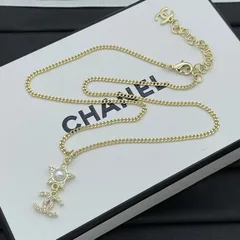 Jewelry
Begin with the category you need
For example, the white floral lightbulb graphic T-shirt in the catalog offers a recognisable design reference. If that is the print you want, check which current option contains it and what size information is available. The picture alone does not establish the fabric, fit or availability of the item.
Keep a mobile shortlist understandable
Use the spreadsheet-links guide if a reference opens a different destination or no longer makes the selection clear. Keep private order and payment information out of publicly shared notes or screenshots.
What a useful spreadsheet entry contains
Try three rows before committing to a collection
For example, two black trainers may appear interchangeable in small thumbnails. Once opened, one may have a different sole shape or an entirely different size selection. Keep those differences visible in your notes instead of grouping both under a brand name.
Judge the information beside the picture
- A recognisable item name and a link you can reopen.
- The particular colour, size or version being discussed.
- Measurements and units when they are available, kept separate from a size label.
- A price attached to that option rather than an unexplained lowest starting price.
- A clear distinction between seller photographs and photographs of a received item.
Compare a budget without confusing the stages
Do not compare a single top against a complete outfit merely because both rows show one price. Confirm what is included. A useful shortlist can contain a higher-priced option when it meets a need that the cheaper one does not; the point is to understand the difference rather than automatically choose the lowest number.
Choose a format you will keep using
You should be able to return to the same product and remember why you saved it. Use a short note such as “compare sleeve length” or “check whether both pieces are included.” If a table becomes difficult to read on your phone, reduce your shortlist to the fields that affect the purchase instead of copying every column.
A small, comparable shortlist
Build a row you can understand later
Start with product name, link, selected option, quantity, listed amount and currency. Add a short note for the reason you saved it and another for the next check. Keep the product link in the same row as its size and colour so the details travel together when you organise the list.
A useful next check might be “compare sleeve length” or “confirm whether both pieces are included.” Avoid a vague “good” rating that you will not understand a week later. The best spreadsheet guide explains how to judge the usefulness of the collection itself.
Choose Excel when its sharing workflow suits you
Excel is not automatically the best choice for every shopper. If you already know how to maintain a clear list in it, that familiarity may be useful. If another tool makes it easier for you to keep links and options consistent, compare that practical advantage instead of switching solely because of the name.
Keep calculations modest and currencies explicit
Do not add amounts in different currencies as if they shared a unit. Keep the original currency and any converted estimate separately, with the rate used for that estimate. The payment guide explains why a currency calculation is not the same as the final payable charge.
Turn a find into a usable product record
Write a brief that is more specific than a trend
A useful shopping brief might be “a plain layer that fits beneath my jacket” or “a bag that holds my usual daily items.” This tells you which details to inspect. For the layer, sleeve and body measurements may matter most. For the bag, check the opening and usable dimensions rather than judging capacity from a styled photograph.
Make designer finds specific enough to compare
Designer discovery can include clothing, bags and accessories as well as trainers. For clothing, examine the cut and measurements. For a bag, compare its strap arrangement, closure and interior layout where shown. For footwear, inspect the exact model and version. A visible logo is not an authenticity assessment, and a manufacturer description cannot automatically be applied to another seller's offer.
Use images to discover and details to decide
If you only have a picture, the image search guide explains how to narrow it to the product you want. Compare more than colour when opening results: a different collar, sole or pocket layout may change whether the item is a useful alternative.
An item finder can shorten discovery, but the next step is still checking the destination and option. Save the individual product link alongside the reason you selected it. That makes returning to the find much easier than scrolling through a group of almost identical screenshots.